Privacy & junk cleaner
The mess that isn’t photos.
Your drives are not only full of photos. They are full of leftovers — the temporary files programs make and forget, the long records they keep writing every day, installer files you used once three years ago. The cleaner finds all of it, describes it in plain words, and shows you the list before it does anything.
How it decides
Every kind of file, sorted honestly into what it costs you
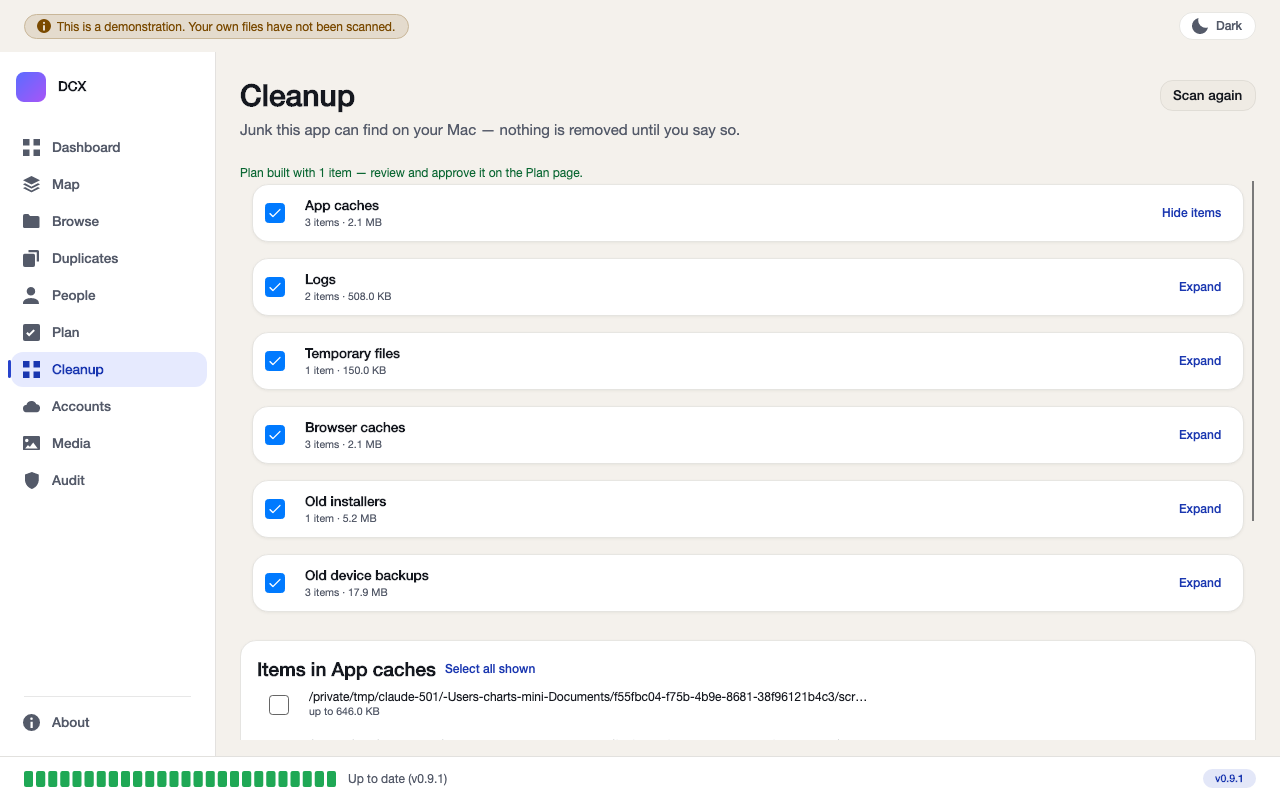
The cleaner does not lump everything into one “junk” pile. It sorts what it finds into six named groups — app caches, logs, temporary files, browser caches, old installers, old device backups — and inside each one it is honest about what removing an item will actually cost you.
Rebuilt automatically by the program that made it — caches, temp files, old logs. Clearing these costs you nothing; the app quietly makes a new one next time it needs it.
Browser caches and old installers can be cleared, but you may need to sign back in to a site, or download an installer again if you ever need it. The app tells you this up front, on the item itself — not after the fact.
When the app finds something it cannot be sure is safe — a backup folder that also contains an “Albums” folder someone was actively organising, say — it says so, in plain words, and leaves the decision to you.
Honesty in the fine print
“Needs your look” means exactly that
This is a real example from the app: a folder inside an old device backup contains an “Albums” folder. The app will not call that junk, because someone was organising photos in there — and it says so in the same sentence, instead of quietly skipping it or quietly including it.
- Sizes shown are the size of the contents. Files that share data on disk (hard links, sparse files) free less than that when they go — the app says this plainly, not in small print you have to hunt for.
- Nothing is freed until you empty your Trash. Removing an item here moves it to the Trash; the space only comes back once you empty it yourself.
- Passwords are never touched. The privacy panel only ever offers cookies and browsing history, one item at a time, and nothing here is ever included in a cleanup plan or removed automatically.
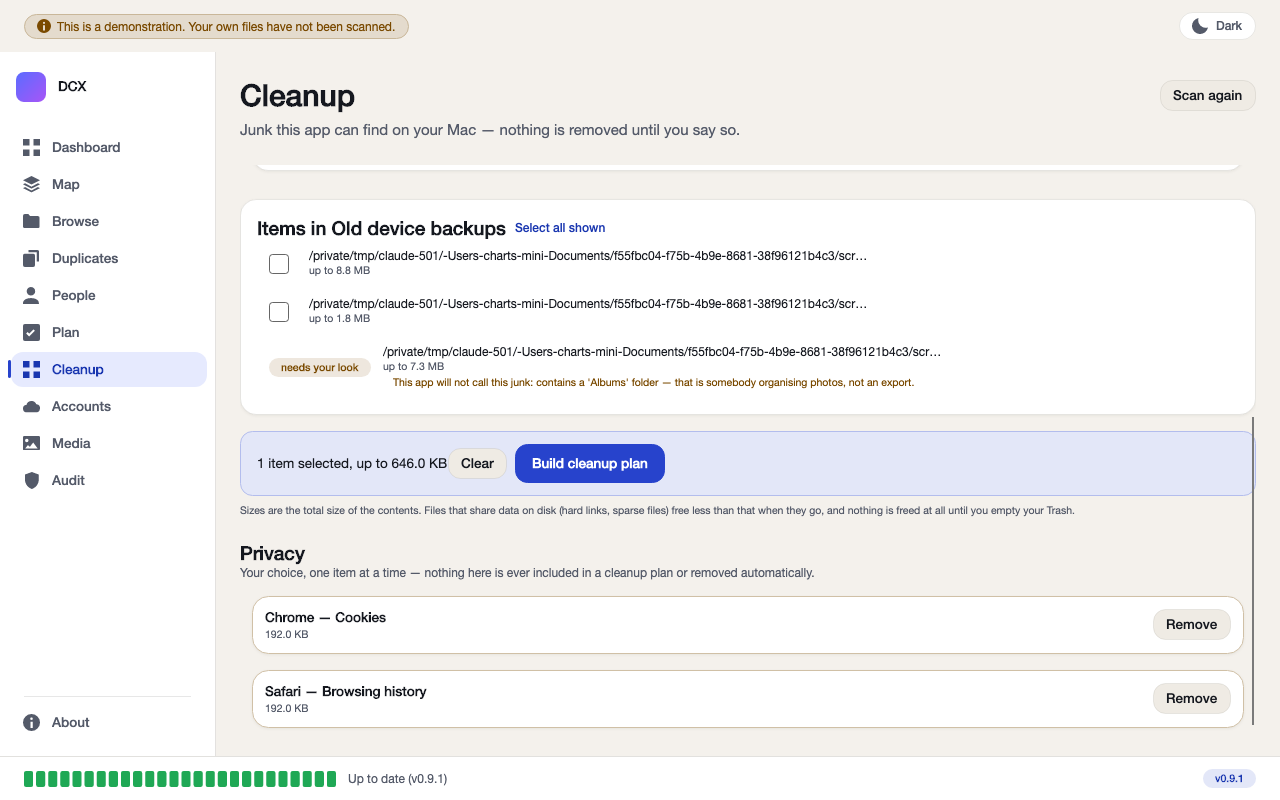
Passwords, saved logins and your keychain are never part of the cleaner. They are not shown, not offered, and not touched.
Same rule as everywhere else in the app
You approve the list first. Everything goes to the Trash.
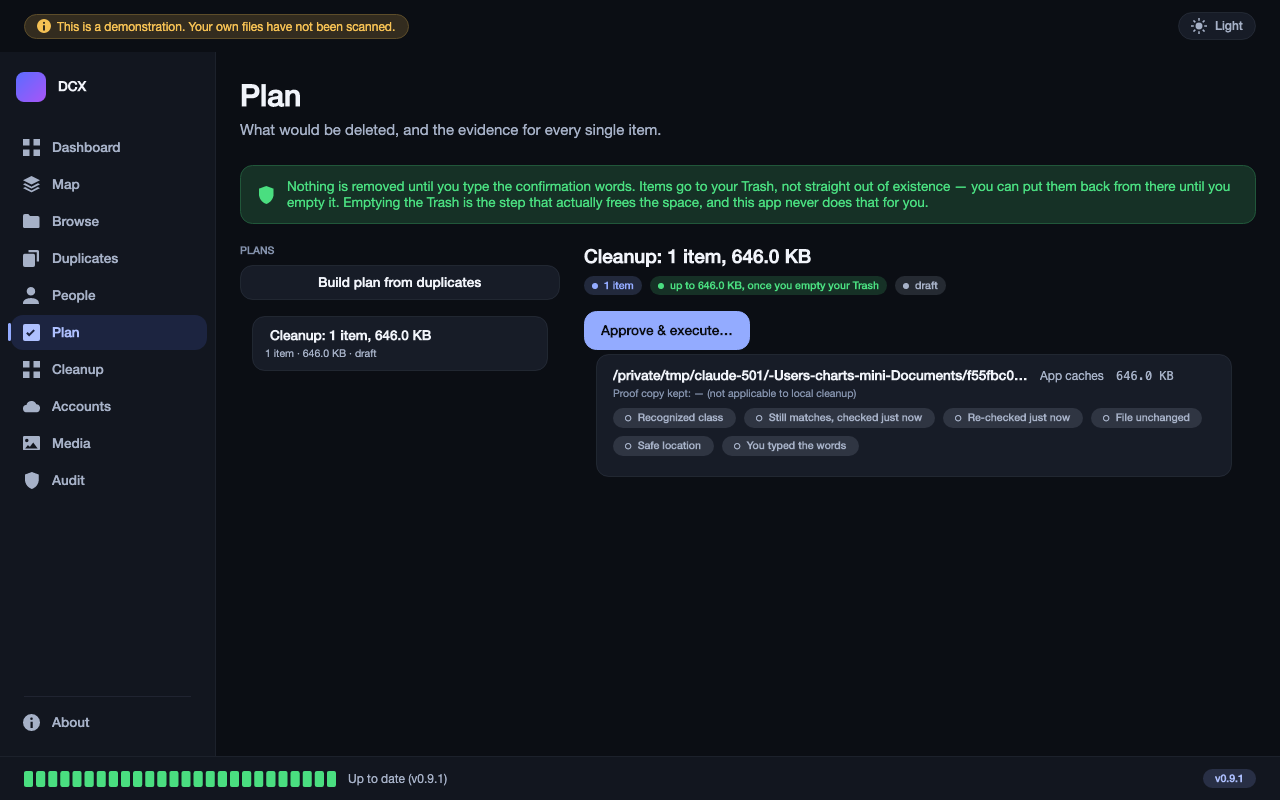
The cleaner obeys the same rule as the Drive app’s duplicate remover: nothing is deleted straight away, and nothing is deleted for good. What you select turns into a plan you review, and only once you approve it does anything move — to the Trash, never wiped.
- The plan is built from what you selected, not from everything the scan found — leave a group unchecked and it is left alone completely.
- Nothing removed until you say so, on a separate screen, after you have seen the whole list.
- Everything to Trash, never wiped. The same recoverable-for-a-while safety net as the rest of the app.
Works on
Mac now. Windows coming.
Mac
Built and working today — app caches, logs, temporary files, browser caches, old installers, old device backups, plus the cookies-and-history privacy panel.
Windows
The same cleaner, for Windows’ own junk classes and its own Recycle Bin, is being built next — at no extra cost once it lands.