The duplicate finder — the heart of Keepory
Every duplicate, across every cloud and every drive — found in one scan, proved before you delete.
Nobody else does clouds + local + external in one on-device scan. This is that one thing, done carefully. Each screen below is a real screen from the app.
One · One scan, everywhere at once
It looks across all your clouds and all your drives together
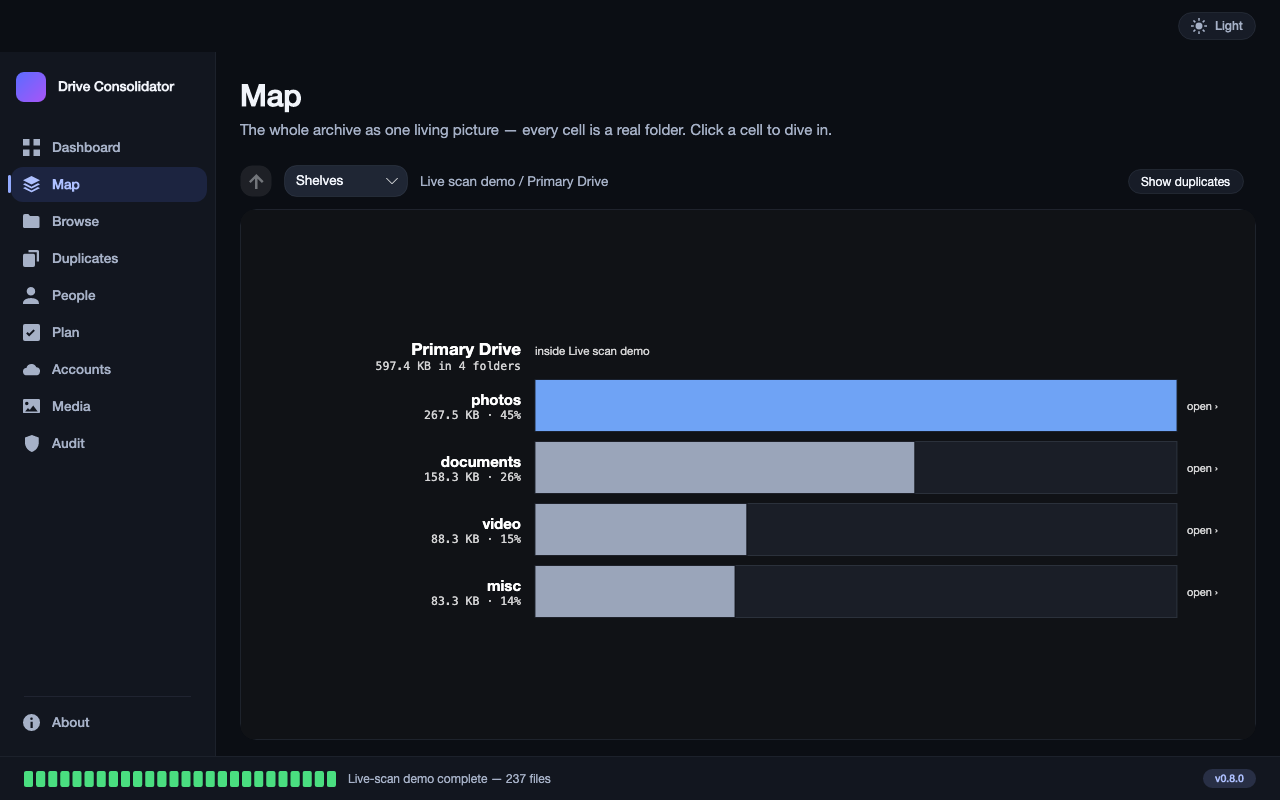
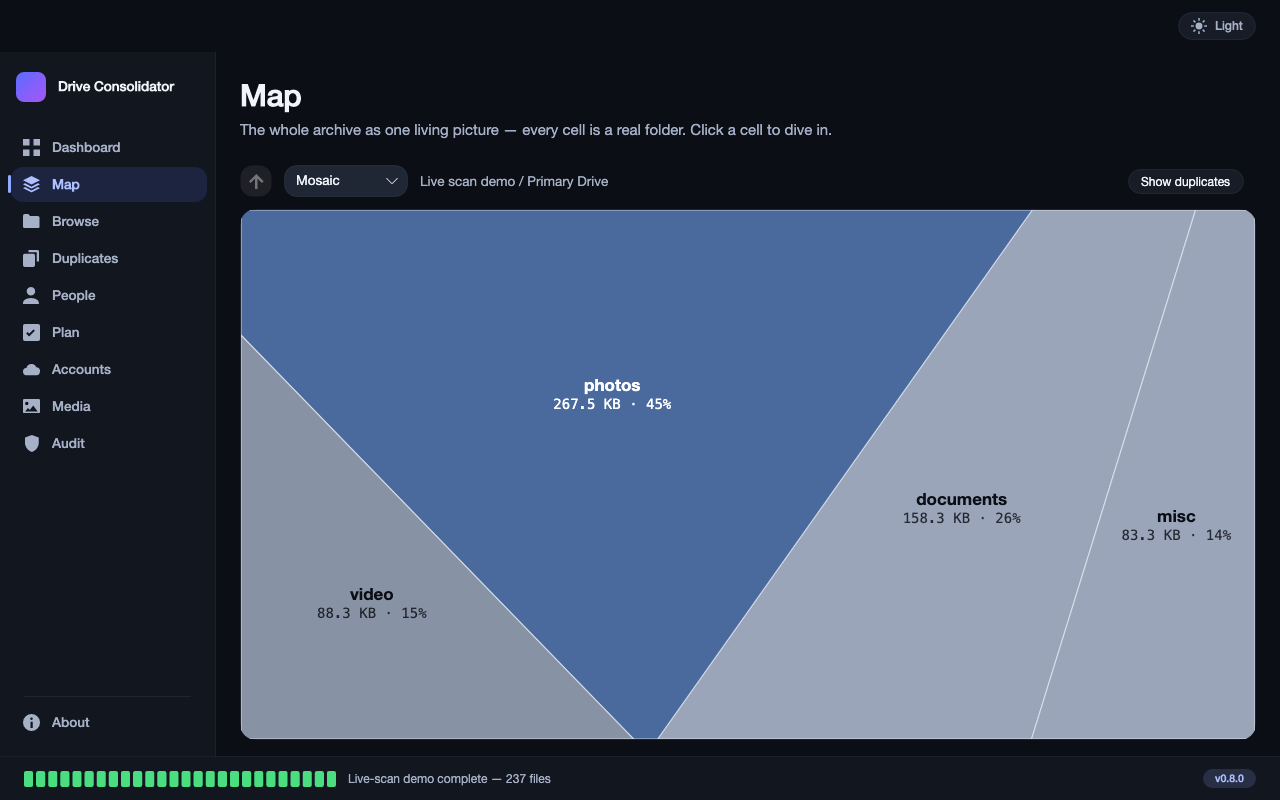
Connect your drives and your cloud accounts once. Keepory reads every one of them in a single scan and draws everything you own as one picture, where the size of each block is the space it really uses.
- Internal disk, the drives in the drawer, and every cloud account — seen at the same time. Most tools only look at one place at once; that is the gap this fills.
- The biggest block is your answer. No reading of numbers, no digging through folders — the fat block on screen is where your storage went.
- Click a block and you are inside it, down to the file itself.
Two · Proof, not a guess
Stop paying to store the same file five times
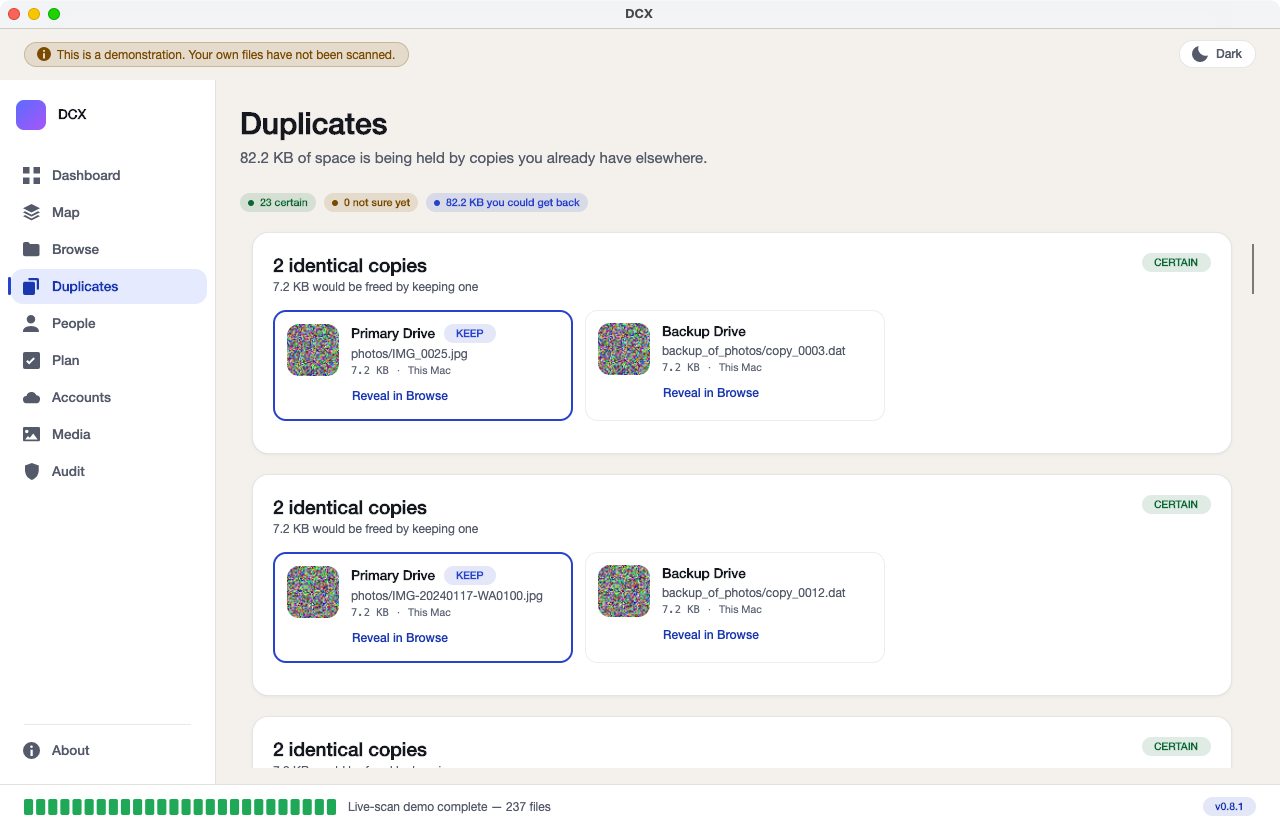
Most tools compare file names and sizes, and guess. Keepory takes a digital fingerprint of the file itself — a short code that can only come from that exact content — and compares the fingerprints. That is the proof behind every match.
- Different names, same file, still caught. A holiday photo saved as IMG_4471 on an old drive and as beach in a cloud account is one file, and the app says so.
- You see both copies side by side before anything happens. One copy in each group is marked KEEP. Anything the app is not completely sure about goes on a separate list and is never offered for deleting.
- Every match carries the space it would free, so the reclaimable total you see is real, not a rounded promise.
Three · Provenance
You always know which drive, and which cloud, a copy came from
Provenance is part of the proof story, not a separate feature. For every copy it finds, Keepory shows where it lives — which drive, which cloud account — so deleting is a decision you can see, never a leap of faith.
- Each copy is labelled with its home — Primary Drive, Backup Drive, Google Drive, OneDrive — right next to its fingerprint match.
- You choose which home keeps the copy, not the app. It only marks a sensible default.
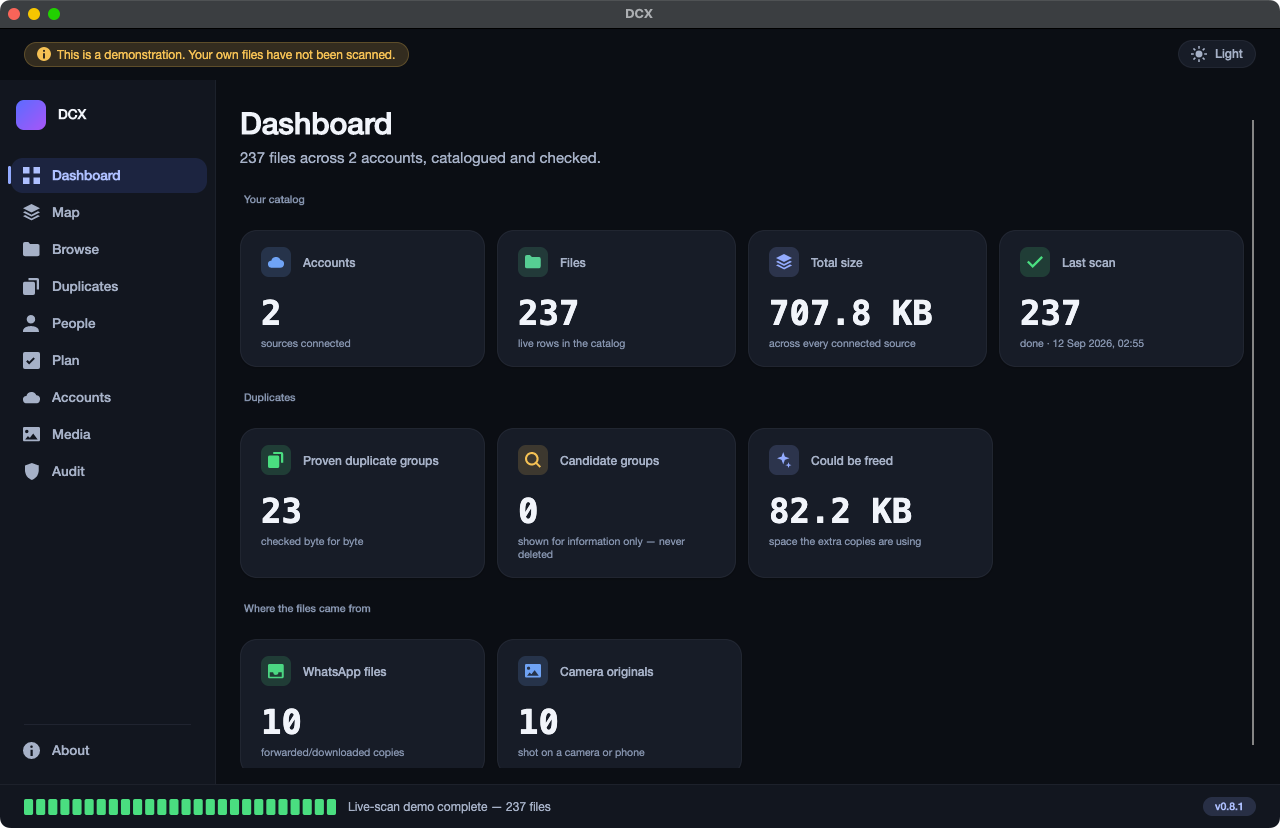
- The Dashboard keeps the running totals — accounts, files, size, duplicates found, and the space you could get back — in six numbers.
Four · Safe to act
Nothing is deleted silently. Ever — every tick is earned.
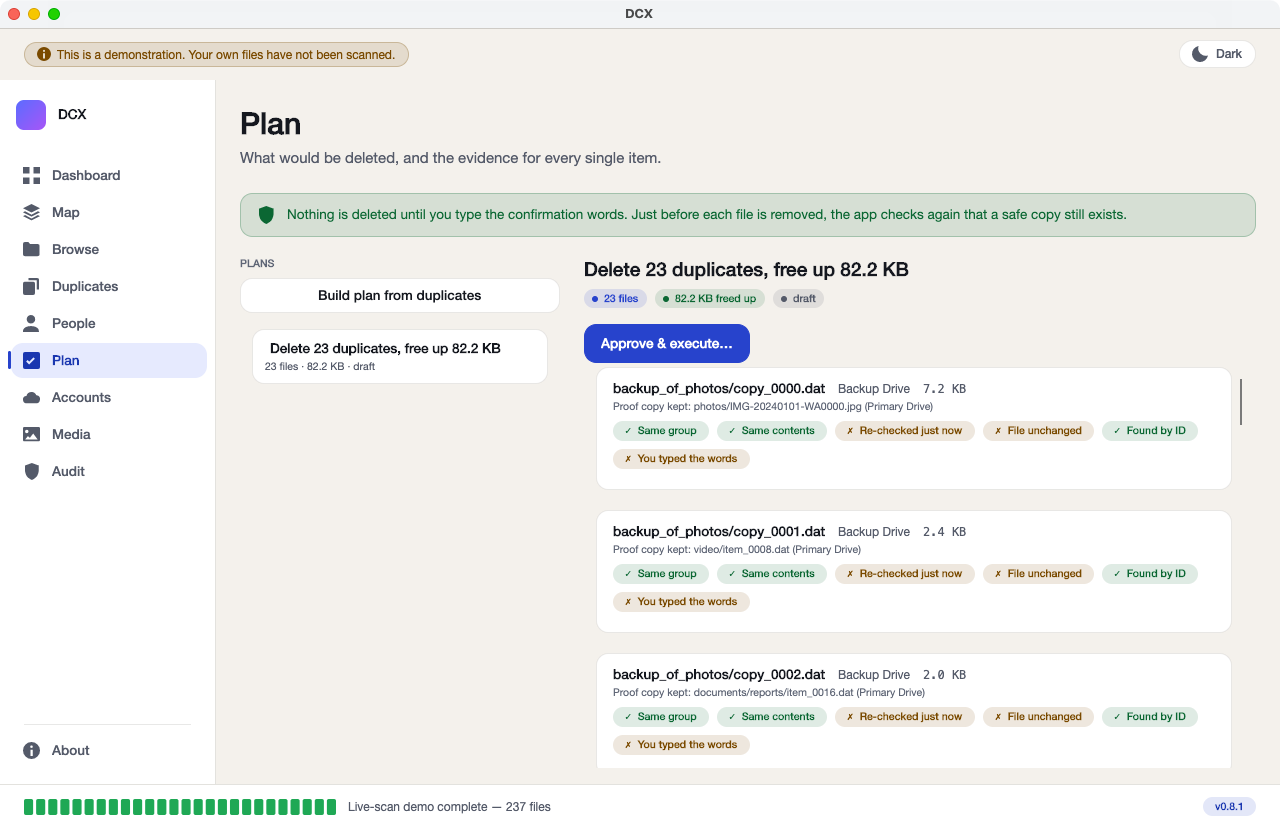
This is the part the app was really built around. Before a single file is removed, it must pass six separate checks — and those six are asked again in the last moment before that exact file is touched, not once at the start of the job.
- You read the plan first. Every file, its six answers in plain words, and the copy that will be kept — all on one screen, before you agree to anything.
- A safe copy must still exist somewhere else, checked again at the last second. If the other copy has gone missing, the file is left alone.
- You must type a sentence by hand to begin. A click alone is never enough.
The six checks, in the app’s own words:
- Same group
- Same contents
- Re-checked just now
- File unchanged
- Found by its own identity
- You typed the words
And nothing is ever wiped. Files go to the Trash or Recycle Bin of the drive or cloud account they lived on, and the app watches that bin for 28 days, so you can bring anything back long after you stopped thinking about it.
Works on
Mac and Windows. The same app.
Mac
Works with Apple Silicon and Intel Macs, in light or dark appearance.
Windows
The same program, built from the same code — not a cut-down version.
Connects to Google Drive, Microsoft OneDrive, your internal disk, and any external or network drive your computer can see. Finding is free forever; you pay once only to delete, merge or move.